ROLE
Frontend Product Engineer
Owned the four-month delivery of the configurator, including the guided selection flow, real-time 3D preview and PDF export. Also implemented the supporting API and persistence layer.
A deployed B2B configurator for building, previewing, saving and exporting valid elevator configurations.
ROLE
Frontend Product Engineer
Owned the four-month delivery of the configurator, including the guided selection flow, real-time 3D preview and PDF export. Also implemented the supporting API and persistence layer.
PRODUCT SCALE
59 configurable options ·
18 compatibility-rule families
Across 7 product areas covering dimensions, finishes, doors, controls and accessories.
STATUS & PROOF
- Deployed product
- Accepted by the client
TEAM
2-person project team
My partner handled client communication and the operating guide.
SELECTED TECHNOLOGY
Next.js · TypeScript · PostgreSQL · Prisma · Unity WebGL · Playwright · Sharp · pdf-lib
PRODUCT PROBLEM
Static catalogs show individual options, but not how the complete elevator will look and come together.
Customers have to mentally combine dimensions, finishes, doors, controls and accessories before they can understand the final cabin.
PRODUCT RESPONSE
Bring the entire selection process into one visual configurator.
Customers can build the cabin, inspect it in 3D, save revisions and export the final specification in one place.
CUSTOMER FLOW
START → CONFIGURE → INSPECT → SAVE → EXPORT
USER PROBLEM
Without immediate validation, customers could continue configuring an elevator around combinations that cannot actually be built.
PRODUCT DECISION
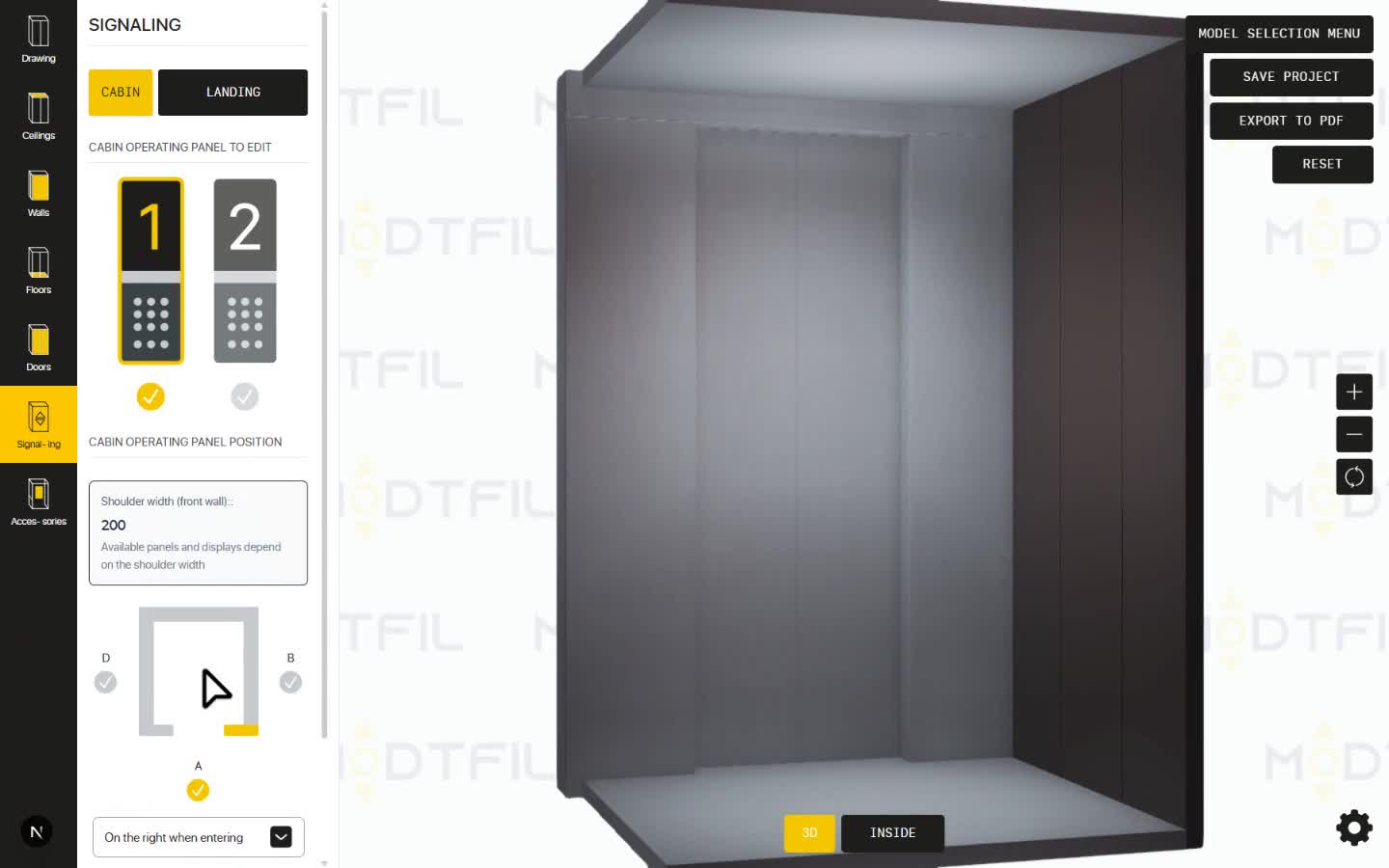
Recalculate the available options after each selection. Changing dimensions, materials, doors, controls or accessories immediately filters or clears incompatible choices before the 3D scene updates.
TECHNICAL MECHANISM
Typed compatibility rules derive valid dimensions, door widths, wall-panel placements and accessory positions from the current configuration.
RESULT
Dependent controls update alongside the live 3D preview, while invalid geometry is blocked before it reaches Unity.
USER PROBLEM
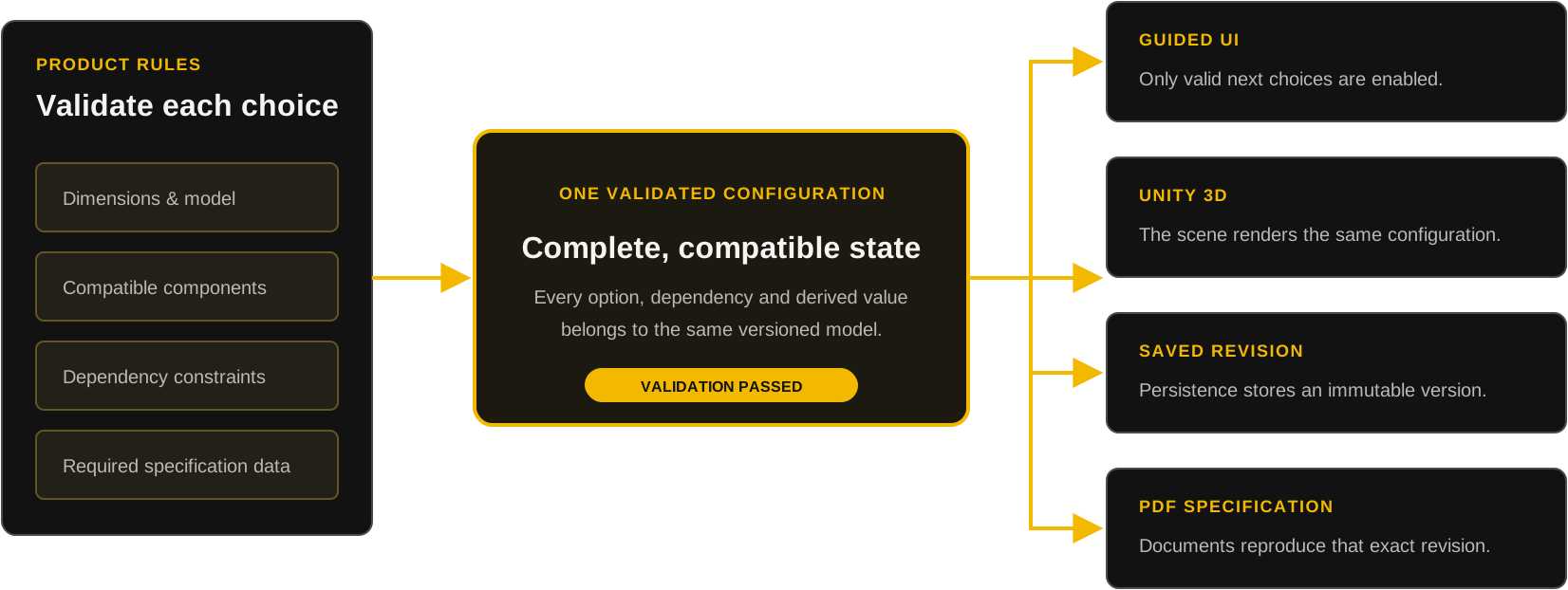
Without one shared configuration model, the same rules would have to be implemented separately across the UI, 3D scene, persistence and export. That makes state drift likely: a change can appear in one surface while another remains outdated.
PRODUCT DECISION
Keep every surface tied to the same configuration the user is currently editing.
TECHNICAL MECHANISM
React owns one validated configuration and compiles it into a replayable Unity scene manifest. Persistence and document export consume the same normalized product state. Saving persists the current revision; reopening restores the server version, while conflicting edits require an explicit choice between loading the latest revision and preserving local changes as a copy.
RESULT
A saved revision can be reopened, replayed in Unity and exported into a specification without reconstructing state from UI history.
USER PROBLEM
Clients need a document they can save and share outside the configurator.
PRODUCT DECISION
Let users export a saved configuration as a standardized PDF with product views and material specifications.
TECHNICAL MECHANISM
The export flow replays the saved revision, waits for Unity to be ready, captures six predefined views, validates the capture set and assembles a five-page document.
RESULT
Clients can review and share the selected configuration without reopening the 3D configurator.
DEPLOYED MEASUREMENT
3D runtime ready in 10.6s median
The Unity runtime loads first; product assets stream on demand through Addressables. Three deployed repeat loads completed within 9.6–12.4 seconds.
DEPLOYED MEASUREMENT
Five-page PDF delivered in 12.4s median
Six controlled views are captured and assembled into five document pages. Three deployed exports completed within 11.1–13.3 seconds.
ASSET DELIVERY
Load the 3D catalog on demand
The product asset catalog contains 975 bundles totaling approximately 686 MB. Assets load on demand and remain cached for reuse
AUTOMATED TESTING
47 test files
Vitest and Playwright cover configuration APIs, conflicting revision saves, PDF export, session security, Unity preload and load planning, and configuration validation.
OUTCOME
Deployed and accepted by the client
The configurator was deployed, reviewed and approved by the client.
OPERATIONAL HANDOFF
Delivered with an operating guide
The client received user and administrator guidance covering system operation, catalog management and troubleshooting.
MEASUREMENT BOUNDARY
Post-handoff adoption was not measured
Usage and business-impact data were not available after delivery.